

What Is ehrms.upsdc.gov.in UP?
ehrms.upsdc.gov.in is the official Employee Human Resource Management System (eHRMS) portal of the Government of Uttar Pradesh. It is designed to provide government employees with a centralized digital platform to access various HR-related services. The portal facilitates efficient management of employee records, salary details, leave management, service history, and other essential government services.
The main purpose of ehrms.upsdc.gov.in UP is to streamline HR processes for state government employees by providing a secure and user-friendly online system. It eliminates manual paperwork, reduces errors, and ensures that employees can access their personal and professional information at any time.
Table of Contents
Full Form of eHRMS and Its Role
eHRMS stands for Employee Human Resource Management System. The system plays a crucial role in managing human resources within the government sector. Key functions of eHRMS include:
- Digitally storing employee records and service history.
- Facilitating online leave applications and approvals.
- Managing payroll and salary information.
- Supporting online promotions, transfers, and retirement processes.
- Offering real-time access to employee data for administrative purposes.
The eHRMS portal ensures transparency, efficiency, and accessibility, allowing employees to interact with government HR services without visiting offices physically.
Who Can Use ehrms.upsdc.gov.in UP?
The portal is primarily designed for:
- Government employees of Uttar Pradesh.
- Employees in departments under the state government.
- Officers responsible for HR management and payroll processing.
Eligibility:
- Must be a registered employee of the Uttar Pradesh government.
- Must have official employee credentials to log in to the portal.
Features of ehrms.upsdc.gov.in UP
The eHRMS UP portal offers several features and services to government employees:
- Employee Profile Management: Access and update personal and professional information.
- Leave Management: Apply for leave, track leave status, and view leave history.
- Salary and Payslip Access: Download monthly salary slips and view salary statements.
- Service History: View complete employment history including promotions, transfers, and postings.
- Grievance Redressal: Register complaints or queries related to HR matters.
- Notifications and Circulars: Stay updated with government announcements and HR-related notices.
- Reports for Administrators: HR officers can generate reports for monitoring employee data and payroll.
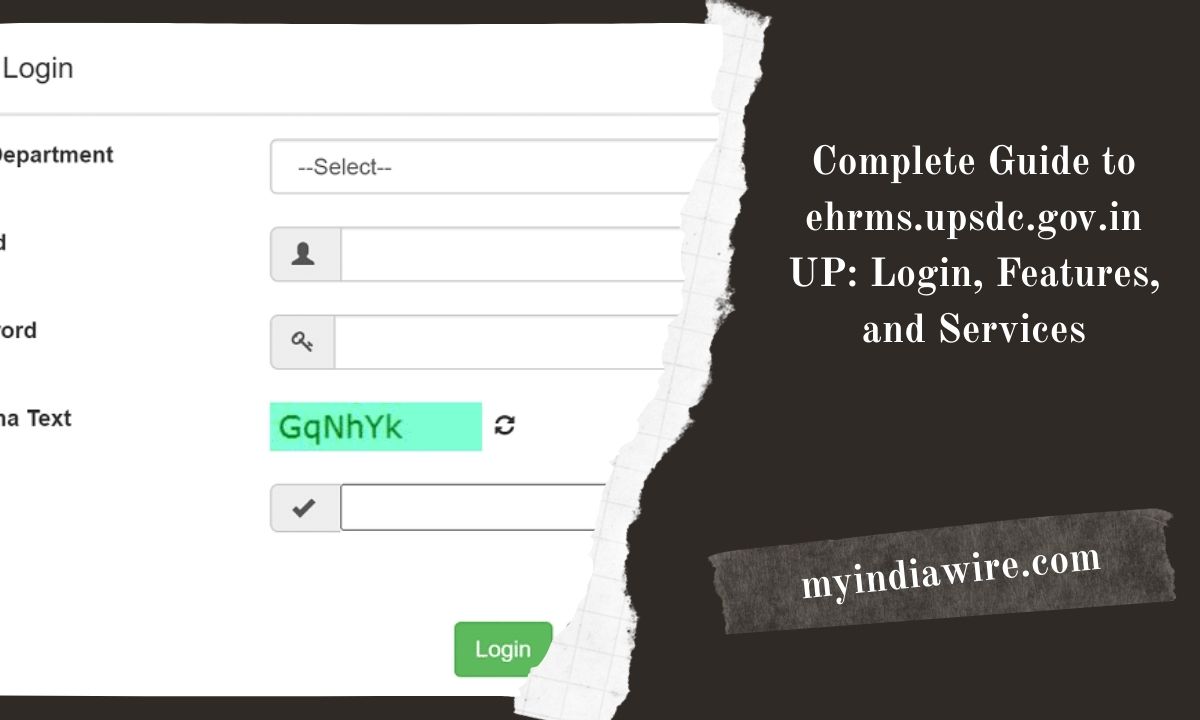
Login Process on ehrms.upsdc.gov.in
Follow these steps to log in to the ehrms.upsdc.gov.in UP portal:
- Open your web browser and visit ehrms.upsdc.gov.in.
- On the homepage, locate the Login section.
- Enter your Employee ID and Password.
- Solve the captcha if prompted.
- Click on the Sign In button.
- Upon successful login, you will be redirected to your dashboard, where you can access all services.
Tips:
- Ensure your internet connection is stable.
- Use the official website URL to avoid phishing attempts.
Registration Process (If Applicable)
Some employees may need to register on the eHRMS portal to access certain features. The registration process is usually as follows:
- Go to the ehrms.upsdc.gov.in homepage.
- Click on the New User Registration link.
- Fill in the required details such as Employee ID, Name, Department, and Email.
- Set a secure password and confirm it.
- Complete any additional verification steps as required.
- Submit the registration form.
- After successful registration, use your credentials to log in.
Note: In most cases, employee accounts are created automatically by the HR department. Registration may not be required for all users.
Password Reset / Forgot Password
If you forget your password, follow these steps to reset it:
- Go to the ehrms.upsdc.gov.in login page.
- Click on the Forgot Password link.
- Enter your Employee ID and registered email/phone number.
- Follow the instructions sent to your email or mobile to reset your password.
- Create a new password and confirm it.
- Log in with your new password.
Tips:
- Use a strong and unique password.
- Keep your registered email and phone number updated to ensure smooth password recovery.
How Employees Can Use the Portal
The ehrms.upsdc.gov.in UP portal provides a range of services for employees. Here’s how you can use it:
Accessing Payslips
- Navigate to the Salary/Payslip section on the dashboard.
- Select the month and year.
- Click View/Download to get your payslip.
Applying for Leave
- Go to the Leave Management section.
- Choose Apply for Leave.
- Select the leave type, duration, and reason.
- Submit the leave application.
- Track the approval status in the same section.
Updating Personal Information
- Click on Profile Management.
- Update your contact details, address, and other personal information.
- Save changes after verification.
Viewing Service History
- Navigate to the Service History section.
- Check details of appointments, transfers, promotions, and postings.
Registering Grievances
- Go to the Grievance/Query section.
- Fill in the complaint form with required details.
- Submit the form and track its status.
Common Problems and Solutions
While using the portal, employees may face some common issues:
Login Issues
- Problem: Incorrect password or Employee ID.
- Solution: Use the Forgot Password option or contact HR support.
Slow Loading or Technical Errors
- Problem: Pages take time to load or show error messages.
- Solution: Check internet connection, clear browser cache, or try a different browser.
Payslip Not Available
- Problem: Monthly payslip not visible.
- Solution: Ensure salary has been processed by your department. Contact HR if the issue persists.
Leave Application Issues
- Problem: Unable to submit leave request.
- Solution: Verify that leave balance is sufficient and check system notifications.
Incorrect Profile Information
- Problem: Data displayed is outdated or incorrect.
- Solution: Update information in the profile section or contact HR for verification.
Additional Tips for Users
- Regularly check notifications on the portal for updates.
- Use the portal during official hours for faster processing.
- Keep your login credentials confidential.
- Regularly update personal contact information to avoid issues with notifications and password recovery.
Conclusion
The ehrms.upsdc.gov.in UP portal is a powerful tool for government employees in Uttar Pradesh, offering a comprehensive platform for managing HR-related tasks digitally. From accessing payslips and leave management to tracking service history, it provides a convenient and secure system to streamline employee services. Understanding how to navigate the portal, perform registration, recover passwords, and utilize available features ensures that employees can efficiently manage their official records and activities.
By following this guide, users can confidently use ehrms.upsdc.gov.in UP for all their HR-related needs, improving transparency, efficiency, and overall employee satisfaction.
